
Keep the story together.
Keep service history, mileage and vehicle documents close at hand. Give every record a home with the car it belongs to.
Organize your service history
Car maintenance app for iPhone
Meet Louro. Your service history, reminders and vehicle information, together in one Garage. With Opie to help you make sense of it.
Free download · Optional in-app purchases
Designed for iPhone · Requires iOS 26.2+
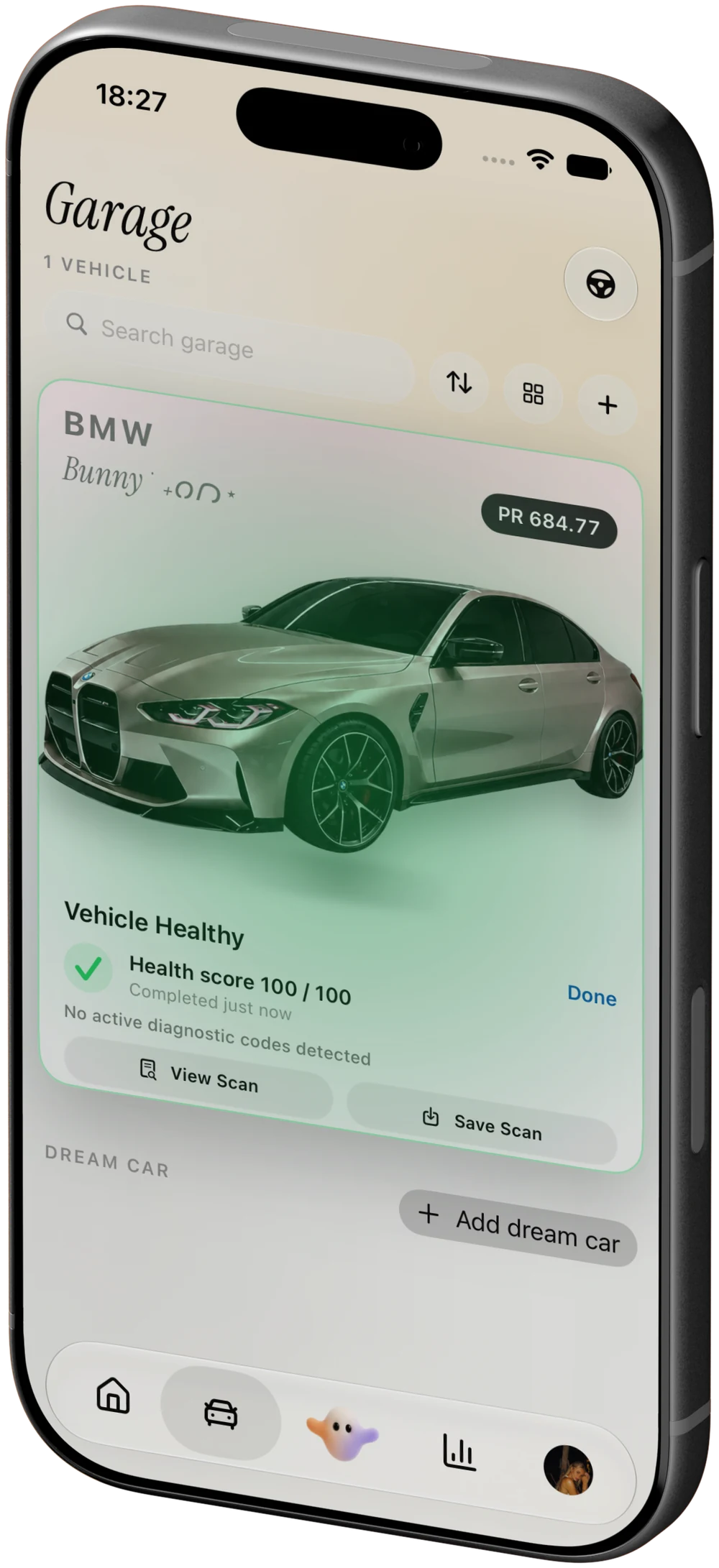
Built around your car
Your next decision is easier when the last repair, the current mileage and that new warning code are in the same place.
Keep service history, mileage and vehicle documents close at hand. Give every record a home with the car it belongs to.
Organize your service historyRead supported diagnostic information with compatible OBD-II hardware. Ask Opie to explain the code before your next conversation with a shop.
Explore iPhone diagnosticsReview maintenance and recall information alongside the history you’ve recorded. Spend less time trying to remember what happened.
Build a maintenance routineA closer look
From the daily driver to the weekend project, keep the information that makes each vehicle yours.
Review your Garage from a browser, too.
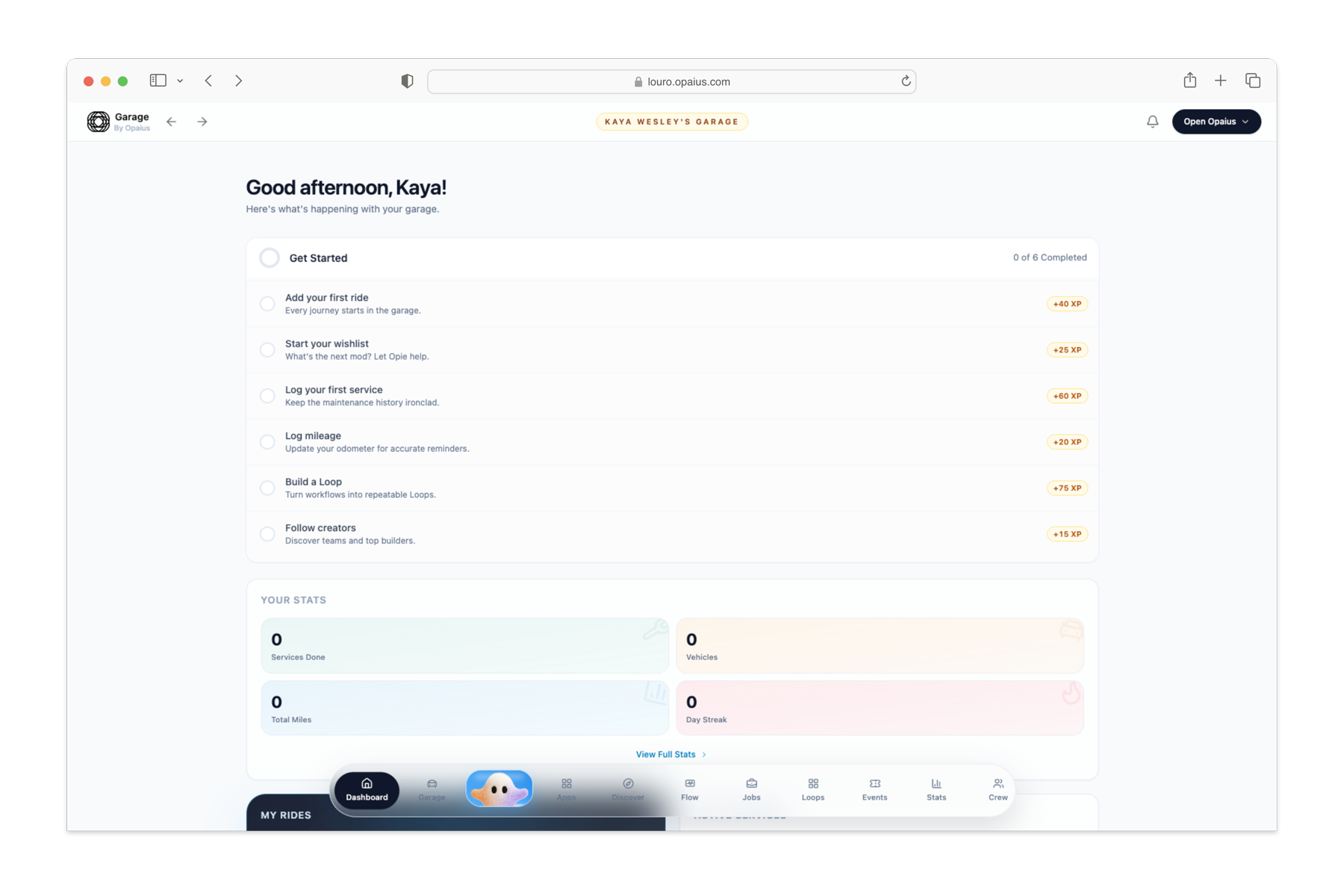
Some features require Garage+ or compatible hardware. See the app for current availability.
How it works
You don’t need a perfectly organized glovebox to start. Begin with the car, the mileage and what you know today.
Scan the VIN or enter the vehicle manually. Check the details and current mileage.
Log completed service and keep the related records. Review maintenance and safety information.
Ask Opie a vehicle question, review a recorded trip or investigate a code with supported hardware.

Meet Opie, your AI vehicle advisor. Bring the vehicle context. Ask a better question. Review the next step.
AI use requires consent. Louro does not replace professional diagnosis or repair.

Your next drive starts here
Download Louro, add your vehicle and bring its story together.

iPhone · iOS 26.2+ · Free download with optional purchases
The ownership guidebook
Practical guides for maintenance, diagnostic codes and the records that make car ownership easier to understand.
Keep track of car maintenance with mileage, service records and reminders. Learn a practical routine and how to organize it in Louro on iPhone.
Read the guide Service recordsBuild a useful digital car service log with dates, mileage and receipts. See how Louro keeps service history with the vehicle it belongs to.
Read the guide DiagnosticsUse an iPhone OBD2 scanner app with compatible hardware to read supported engine codes. Learn what you need and how to understand results in Louro.
Read the guide RecallsLearn the difference between a model-wide recall search and a VIN-specific check, then keep recall information with your vehicle in Louro.
Read the guide Ownership costsTrack vehicle maintenance costs without losing the context. Learn which expenses to record and how Louro connects costs with your car’s history.
Read the guide DrivingLearn how Louro records trips with chosen iPhone permissions, with or without supported OBD-II hardware, and where to review your driving history.
Read the guide Ask OpieGet more useful car-maintenance and diagnostic-code explanations from Opie. Learn what vehicle context to provide and when a mechanic is needed.
Read the guide Your GarageKeep the right records with the right car. Learn how a digital garage organizes vehicle details, mileage, service history and documents in Louro.
Read the guide Getting startedLouro is free to download with optional in-app purchases. Understand Garage+, compatible hardware, iPhone requirements and what to check before upgrading.
Read the guideGood questions
Start here. Go deeper when you need to.
Keep mileage, completed services and reminders together. Louro gives each vehicle a Garage record so you can review its maintenance history and what needs attention next.
Learn moreLouro organizes service history and vehicle documents in your Garage. Start with records you have; adding a VIN does not automatically recover every past repair.
Learn moreYou need compatible hardware for a physical OBD-II scan and live vehicle readings. Your Garage, maintenance records and vehicle questions do not all require an adapter.
Learn moreStart with an official VIN-specific check through NHTSA and the manufacturer. Louro keeps recall information with your vehicle so it is easier to review alongside its history.
Learn moreKeep service records and review vehicle costs in the features available on your plan. A useful log connects each amount to the work performed and the right car.
Learn moreThe current release supports phone-based recording with chosen location and motion permissions. Supported OBD-II hardware adds an engine-assisted flow and vehicle information.
Learn moreYes—ask Opie about a code and the vehicle context. It helps explain the information; it does not replace the testing needed to confirm a repair.
Learn moreLouro organizes each car in its Garage. Vehicle limits and expanded features depend on your plan; check the current upgrade details in the app.
Learn moreYes. Louro is free to download with optional in-app purchases. Garage+ is an auto-renewable subscription; Apple shows current pricing and terms before purchase.
Learn moreLouro by Opaius
Your car’s history has a home. Make it Louro.
Free to download. Optional Garage+ subscription. Requirements apply.